

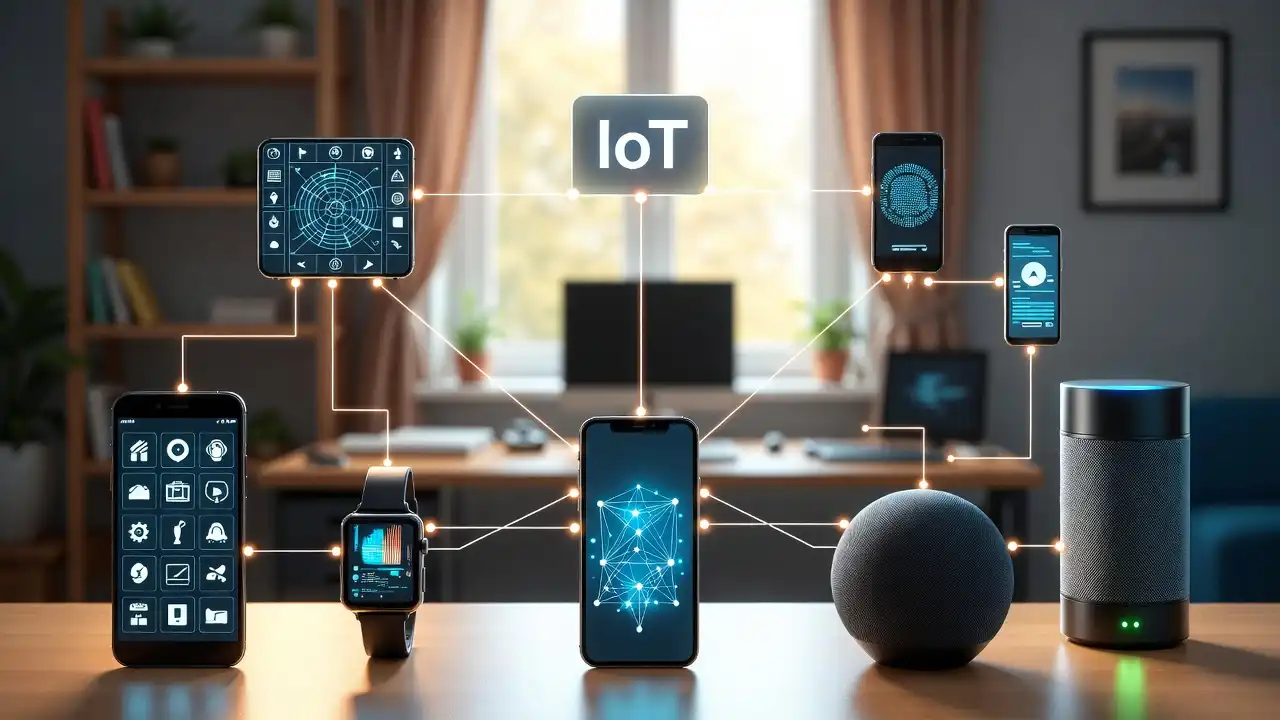
The modern home is a marvel of interconnected convenience. We can adjust our thermostats from across the globe, peek at our pets through high-definition security cameras while at the office, and command our virtual assistants to dim the lights and play our favorite music without lifting a finger. This ecosystem of smart TVs, internet-connected refrigerators, smart locks, and robotic vacuum cleaners represents the Internet of Things (IoT). However, beneath this veneer of futuristic convenience lies a sprawling, often invisible landscape of severe cybersecurity vulnerabilities.
When you connect a new smart device to your home Wi-Fi, you are effectively installing a tiny, specialized computer onto your personal network. Unlike your smartphone or laptop, which benefits from robust operating systems, built-in firewalls, and frequent security patches, many IoT devices are incredibly fragile from a security standpoint. If compromised, a single vulnerable smart bulb or internet-connected coffee maker can act as a digital trojan horse, granting malicious actors unrestricted access to your entire home network.
Once inside, hackers can pivot from that unsecured smart plug directly to your primary laptop, siphoning sensitive financial documents, stealing personal identities, or holding your family’s data for ransom. Furthermore, compromised IoT devices are frequently hijacked to form massive “botnets”—armies of zombie devices used to launch devastating distributed denial-of-service (DDoS) attacks that can cripple major websites and internet infrastructure.
Learning how to secure IoT devices on your network is no longer an optional task reserved for IT professionals and tech enthusiasts; it is an absolute necessity for anyone living in a modern digital household. In this comprehensive, step-by-step guide, we will explore the fundamental flaws of smart home technology, teach you how to fortify your router, explain the vital concept of network segmentation, and provide you with actionable strategies to lock down every digital endpoint in your home.
Understanding the IoT Security Crisis
To effectively defend your network, you must first understand why IoT devices are so inherently vulnerable. The problem stems from a combination of market economics, consumer behavior, and fundamental hardware limitations.
The Rush to Market and Profit Margins
The consumer electronics market is fiercely competitive. Manufacturers of smart plugs, lightbulbs, and budget security cameras operate on razor-thin profit margins. To keep prices low and beat competitors to retail shelves, manufacturers often prioritize functionality and aesthetic design over rigorous cybersecurity testing. Security requires expensive research, development, and ongoing software support—costs that budget IoT manufacturers simply are not willing to absorb. Consequently, many devices are shipped with glaring security holes.
Hardware Limitations and “Dumb” Smart Devices
Many IoT devices are remarkably small and inexpensive. A fifteen-dollar smart plug does not contain the powerful processing hardware necessary to run complex encryption algorithms or robust antivirus software. They are designed to do one specific task—turn power on or off via a Wi-Fi command—and nothing else. Because they lack the computing power to defend themselves, they rely entirely on your home network’s perimeter defenses to keep them safe.
Hardcoded Credentials and the Mirai Threat
Perhaps the most notorious flaw in IoT manufacturing is the use of hardcoded, universal default passwords. Millions of cameras and routers ship from the factory with administrative usernames like “admin” and passwords like “12345” or “password.”
In 2016, the catastrophic Mirai botnet attack exploited this exact flaw. The malware scoured the internet for IoT devices, logged in using a pre-programmed list of common default factory passwords, and hijacked hundreds of thousands of cameras and routers. It then used this massive army to launch a DDoS attack that temporarily took down major portions of the internet, including Twitter, Netflix, and Reddit. If you do not actively change the security configurations of your IoT devices, you are leaving your front door wide open.
Step 1: Conduct a Comprehensive Network Inventory
You cannot protect a network if you do not know exactly what is connected to it. Over the years, you have likely accumulated a vast array of internet-connected gadgets. The first step in securing your IoT environment is conducting a full digital audit.
How to Map Your Connected Devices
Do not rely on your memory to list your smart devices. Instead, you need to look at your network from the perspective of your router.
- Log into Your Router Dashboard: Open your web browser and type in your router’s IP address (commonly 192.168.1.1 or 10.0.0.1). Once logged in, look for a section labeled “Attached Devices,” “Device List,” or “Client Table.” This will show you every single MAC address and IP address currently drawing an internet connection from your home.
- Use a Network Scanning App: If your router’s interface is difficult to navigate, download a reputable network scanning application on your smartphone, such as Fing. When connected to your Wi-Fi, the app will scan the network and provide a clean, readable list of all active devices, often identifying them by brand and device type (e.g., “Philips Hue Bridge” or “Samsung Smart TV”).
Identify and Purge the “Zombies”
As you review the list of connected devices, ask yourself: do I still use this? Do I even know what this is? You may find an old smart scale you haven’t used in three years, or a cheap Wi-Fi camera sitting in a box in the garage that is still plugged in and broadcasting.
Every device connected to your network is a potential point of entry. If you no longer actively use an IoT device, physically unplug it and remove its configuration from your network. Minimizing your digital footprint is the easiest and most effective way to reduce your “attack surface.”
Step 2: Fortifying Your Router (The Front Door)
Your wireless router is the central hub of your digital life. It is the bridge between the chaotic, dangerous public internet and your private home network. If your router is compromised, every single device beneath it—from your smartphone to your smart fridge—is instantly vulnerable.
Change Default Router Credentials Immediately
Just like the IoT devices themselves, most routers come with an incredibly weak, publicly known default administrator password printed on a sticker on the back. Hackers know these passwords.
- Log into your router’s administrative web interface.
- Navigate to the system or administration settings.
- Change the administrator password to a complex passphrase. A passphrase (e.g., “BlueElephantDancesInTheRain77!”) is much longer, harder to crack, and easier to remember than a random string of characters.
Upgrade to WPA3 Encryption
Wi-Fi Protected Access (WPA) is the security protocol that encrypts the data traveling through the air between your router and your devices. For over a decade, WPA2 was the standard, but it has recently shown vulnerabilities to brute-force dictionary attacks (such as the KRACK vulnerability).
- Check your router’s wireless security settings. If your router supports WPA3, enable it immediately. It provides significantly stronger encryption and protects against offline password guessing.
- If your router only supports WPA2, ensure it is set to “WPA2-AES” (Avoid TKIP, which is an outdated and insecure encryption method). If your router only supports WEP or WPA, it is dangerously obsolete, and you must purchase a new router immediately.
Disable Universal Plug and Play (UPnP)
Universal Plug and Play (UPnP) is a networking protocol designed to make setting up devices incredibly easy. It allows a new IoT device, like a smart camera or a gaming console, to automatically open “ports” on your router’s firewall so it can communicate with outside servers without requiring you to manually configure port forwarding.
While highly convenient, UPnP is a massive security nightmare. If a single device on your network becomes infected with malware, UPnP allows that malware to silently order your router to open the firewall and invite more malicious traffic inside.
- Find the UPnP setting in your router’s advanced settings and turn it off. You may have to manually forward ports for specific video games or private servers in the future, but the drastic increase in network security is well worth the minor inconvenience.
Disable WPS (Wi-Fi Protected Setup)
WPS is the feature that allows you to connect a device to your Wi-Fi by simply pushing a button on the back of the router or entering a short 8-digit PIN, bypassing the need to type in your long Wi-Fi password. Unfortunately, the PIN method of WPS is notoriously easy for hackers to crack using automated brute-force tools in a matter of hours. Disable WPS entirely in your router settings.
Step 3: Network Segmentation (The Game Changer)
If you only take one piece of advice from this entire article, let it be this: Do not let your IoT devices share the same network space as your personal computers and smartphones.
Imagine your home network as a bank. Your laptops, smartphones, and network-attached storage (NAS) drives hold the vault’s most precious assets: your banking passwords, tax returns, personal photos, and sensitive emails. Your IoT devices (smart bulbs, vacuums, and TVs) are the lobby furniture. If a burglar breaks in through a vulnerability in the lobby couch (the smart bulb), you do not want them to have unobstructed access to the vault.
Network segmentation involves creating a digital wall that isolates your vulnerable IoT devices from your critical personal hardware.
The Simple Method: Using a Guest Network
The easiest way for a standard home user to segment their network is by utilizing the “Guest Network” feature built into almost every modern router.
- Enable the Guest Network: Log into your router and find the Guest Wi-Fi settings. Turn it on.
- Name It Appropriately: Give it a distinct SSID (network name), such as “Home_IoT_Network.”
- Set a Strong Password: Secure it with a complex WPA2 or WPA3 password. Just because it is a guest network does not mean it should be left open.
- Enable “Isolate” or “Guest Access Only”: This is the most crucial step. Look for a checkbox that says “Allow guests to see each other and access my local network” and ensure it is UNCHECKED. Sometimes this is labeled “AP Isolation.” This ensures that devices on the guest network can only access the internet; they cannot communicate with each other, and they cannot cross over to your primary network where your laptop lives.
- Migrate Your Devices: One by one, reconnect all of your smart TVs, smart speakers, thermostats, and smart plugs to this new Guest Network. Keep your laptops, tablets, and smartphones on your primary, secure network.
If a hacker breaches your cheap smart bulb on the guest network, they will find themselves trapped in a digital quarantine zone, completely unable to pivot to your primary laptop to steal data.
The Advanced Method: VLANs (Virtual Local Area Networks)
For advanced users, tech enthusiasts, and small business owners, simply using a guest network might not offer enough granular control. If you have a prosumer router (like Ubiquiti UniFi, MikroTik, or pfSense), you can create VLANs.
A VLAN logically separates a single physical network into multiple distinct broadcast domains. You can create one VLAN for trusted devices (PCs), one VLAN for IoT devices, and one VLAN for security cameras. You can then write highly specific firewall rules between these VLANs. For example, you can write a rule that says “My smartphone on the Trusted VLAN can initiate communication with the Smart TV on the IoT VLAN (so I can cast a YouTube video), but the Smart TV is strictly forbidden from initiating communication back to the Trusted VLAN.” This provides military-grade zero-trust architecture right in your home.
Step 4: Device-Level Security Measures
Once your network perimeter is secure and segmented, you must turn your attention to the individual smart devices themselves. Just because they are quarantined does not mean they should be left defenseless.
Change the Device Default Passwords
As discussed earlier, default credentials are the primary weapon used by botnets. When you set up a new smart camera, baby monitor, or smart thermostat, it will likely have its own web interface or companion app.
- Dig into the device’s specific settings via its mobile app or web portal.
- Change the default password to a unique, highly complex string of characters.
- Do not reuse passwords. If your smart plug manufacturer suffers a data breach and your password is stolen, you do not want that same password granting hackers access to your Amazon or bank accounts. Use a dedicated Password Manager (like Bitwarden or 1Password) to generate and store unique passwords for every single smart home account you create.
Enable Two-Factor Authentication (2FA)
If the companion app for your IoT device (such as the Ring app for your doorbell, or the Nest app for your thermostat) offers Two-Factor Authentication (also known as Multi-Factor Authentication or MFA), enable it immediately.
With 2FA enabled, even if a hacker manages to guess or steal your password, they will not be able to log into your camera’s feed without also having physical access to your smartphone to receive the temporary 6-digit security code. This single step stops 99% of remote account-takeover attacks. Opt for authenticator apps (like Google Authenticator or Authy) rather than SMS text message codes whenever possible, as SMS is vulnerable to SIM-swapping attacks.
Disable Unnecessary Features
IoT devices often ship with every possible feature turned on by default to make them seem as impressive as possible. You should aggressively disable any feature you do not actively use.
- Microphones and Cameras: If you bought a smart TV simply for its picture quality and you never use its voice-control features, go into the settings and disable the microphone. Put a physical piece of opaque tape over the TV’s built-in webcam if it has one.
- Remote Access: Many devices offer a “Cloud Access” or “Remote Management” feature, allowing you to control the device when you are away from home. If you only ever control your smart lights when you are physically standing inside your house, turn off the remote cloud access. By doing so, you close a direct portal between the manufacturer’s external servers and your living room.
- Location Tracking: If your smart coffee maker companion app asks for your precise GPS location at all times, deny it. Restrict app permissions on your phone to the absolute minimum required for the device to function.
Step 5: Firmware and Software Maintenance
Hardware is permanent, but software is a living, breathing entity. As security researchers discover new vulnerabilities in IoT code, responsible manufacturers release patches to fix them. If you do not apply these patches, your device remains perpetually vulnerable.
Automate the Update Process
You likely do not have the time to manually check the companion app of 30 different smart bulbs every week to see if there is an update.
- During the initial setup of any IoT device, look for an “Auto-Update Firmware” option and turn it on.
- Allow the device to download and install security patches in the background, usually during the night.
Monitor the Manufacturer’s Track Record
Before purchasing a new IoT device, do five minutes of research on the manufacturer. Do they have a history of rapidly releasing security patches when vulnerabilities are found? Or do they abandon their products the moment they hit the shelves? Stick to reputable, major brands (like Philips, Google, Apple, or Ecobee) that have dedicated cybersecurity teams and public bug-bounty programs. Avoid hyper-cheap, no-name brands shipped directly from overseas marketplaces, as they are notorious for shipping malware-infected devices and never providing software updates.
The Threat of “End of Life” (EOL) Devices
Eventually, a manufacturer will declare an older device “End of Life” or “End of Support.” This means they will permanently stop writing security updates for that hardware. When an internet-connected device reaches EOL status, it becomes a ticking time bomb. The moment a new vulnerability is discovered for that device, it will never be patched, and hackers will exploit it endlessly.
When your smart home devices reach their End of Life, you must make a harsh decision: either disconnect them from the internet entirely (using them solely as “dumb” local devices if possible), or throw them away and purchase modern, supported replacements. Security requires ongoing hardware investment.
Step 6: Advanced Monitoring and Defense Tactics
For those who want absolute peace of mind, simply setting up defenses is not enough; you must actively monitor the battlefield. Advanced network monitoring allows you to see exactly what your smart devices are whispering to the internet when you aren’t looking.
Implement a DNS Sinkhole (Pi-hole)
A DNS sinkhole is a powerful tool for stopping IoT devices from communicating with malicious servers, tracking software, and advertisement networks. The most popular home solution is Pi-hole, a free piece of software you can run on a tiny, inexpensive Raspberry Pi computer connected to your router.
Pi-hole acts as the directory for your entire network. When a smart TV tries to secretly send your viewing habits to a known data-harvesting server, Pi-hole recognizes the malicious web address, blocks the connection entirely, and drops the traffic into a “black hole.” It is astonishing to look at a Pi-hole dashboard and realize that your smart TV has attempted to contact an advertising server 4,000 times while you were asleep. Pi-hole silences this chatter, protecting your privacy and preventing IoT devices from phoning home to botnet command-and-control servers.
Monitor Outbound Traffic Patterns
Most home users only care about inbound traffic—preventing hackers from getting in. However, the key to identifying a compromised IoT device is monitoring outbound traffic.
If your smart thermostat suddenly starts trying to upload gigabytes of data to a server located in a foreign country at 3:00 AM, it is not checking the weather. It has been compromised and is either participating in a DDoS attack or exfiltrating data. Advanced routers and firewall operating systems (like pfSense, OPNsense, or Firewalla devices) allow you to view graphical charts of outbound traffic. If you spot a tiny smart plug using massive amounts of bandwidth, you can instantly sever its connection to the internet and throw it in the trash before it causes further harm.
Disable Internet Access for Local-Only Devices
Ask yourself a logical question: Does my smart lightbulb actually need to connect to the global internet?
If you use a centralized smart home hub (like Home Assistant, Hubitat, or Apple HomeKit), your hub manages the automation locally. In many advanced setups, you can go into your router’s firewall and completely block the IP addresses of your smart bulbs, smart switches, and smart plugs from accessing the WAN (the outside internet). They will still function perfectly on your local Wi-Fi, responding to your smartphone app while you are sitting on the couch, but they will be completely invisible and inaccessible to hackers scanning the internet, and they will be physically incapable of leaking your data to the manufacturer.
Conclusion
The Internet of Things has undeniably transformed the way we interact with our living spaces, bringing elements of science fiction into our daily reality. However, this convenience comes at a steep price: an exponentially expanding digital attack surface. We can no longer afford to plug in a “smart” device and blindly trust that it is safe.
Securing your IoT network is an ongoing philosophy, not a one-time checklist. It requires a mindset of “Zero Trust.” By changing default router passwords, aggressively segmenting your network to quarantine cheap smart gadgets away from your personal data, enabling Two-Factor Authentication, and diligently maintaining firmware updates, you can build an invisible fortress around your digital life.
Embrace the convenience of the smart home, but do so with vigilance. Take control of your network architecture today, lock the digital front door, and ensure that the only person commanding your smart home is you.